Raiffeisen Online
Travel card
The new simple way for users to save money on travel, by making purchases with the card.
Discovery
We studied the feedback from users and analyzed the specifics of the loyalty program in order to understand what information might be important to people:
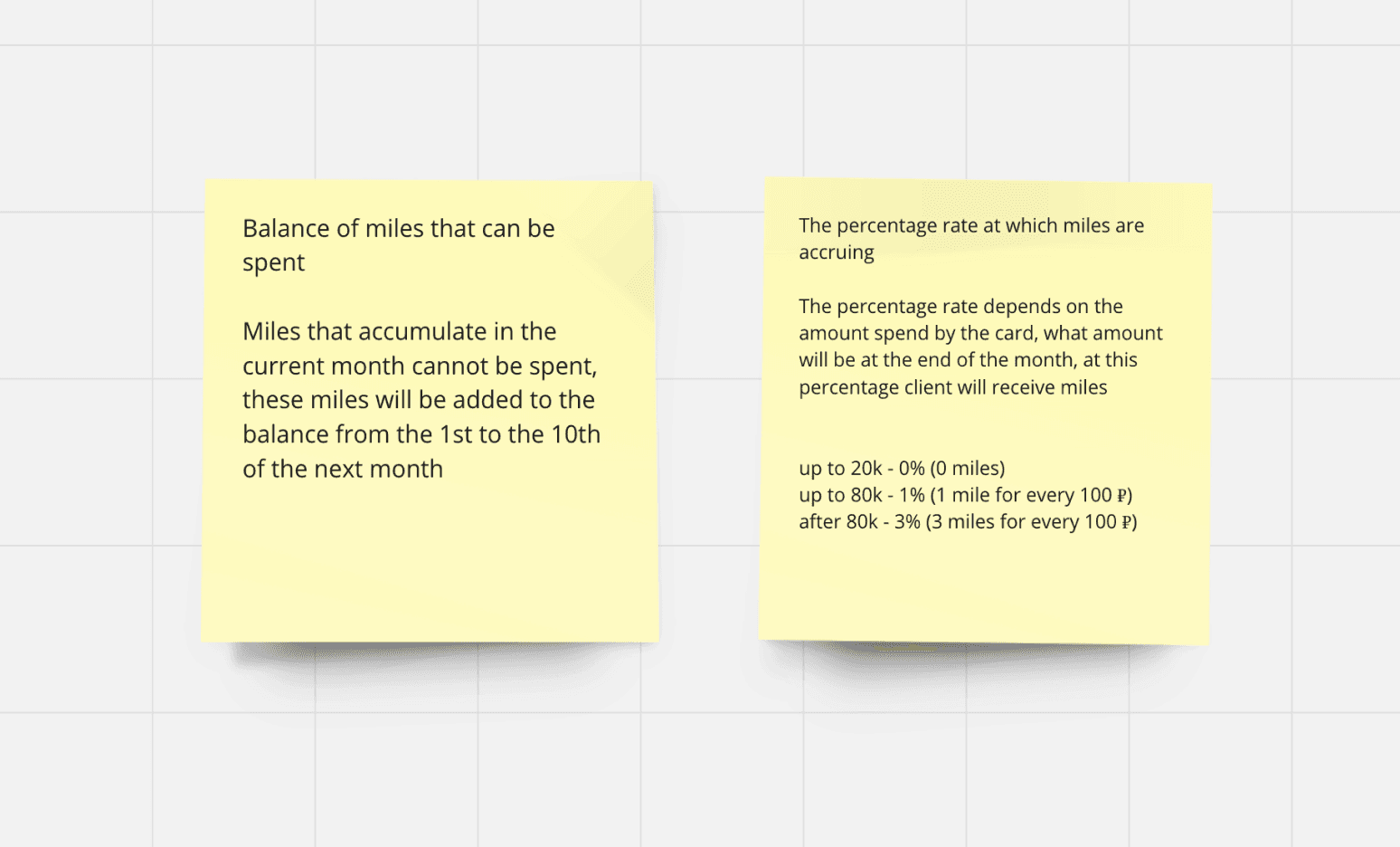
Users couldn't see how many miles they had
Didn’t understand the reward system. Miles are credited from the 1st to the 10th of the next month, and their amount depends on the score.
They didn't have a touchpoint into the service where they could spend miles
We conducted benchmarking to understand the existing patterns in similar services.
We found a partner with a suitable white-label solution, went through the user journey in it, and provided feedback for improvement to ensure a pleasant experience for customers from reading information about miles in our application to purchasing tickets or booking hotels on the partner's side.
Ideas
How can we solve the problems and improve the experience:
Show the information about the available miles and provide the link where they can be spent to highlight the most crucial aspect and increase conversion on purchases using the miles.
Visualize simple and understandable analytics, taking into account the specific point reward system, so that the accumulation history will transparent for people.
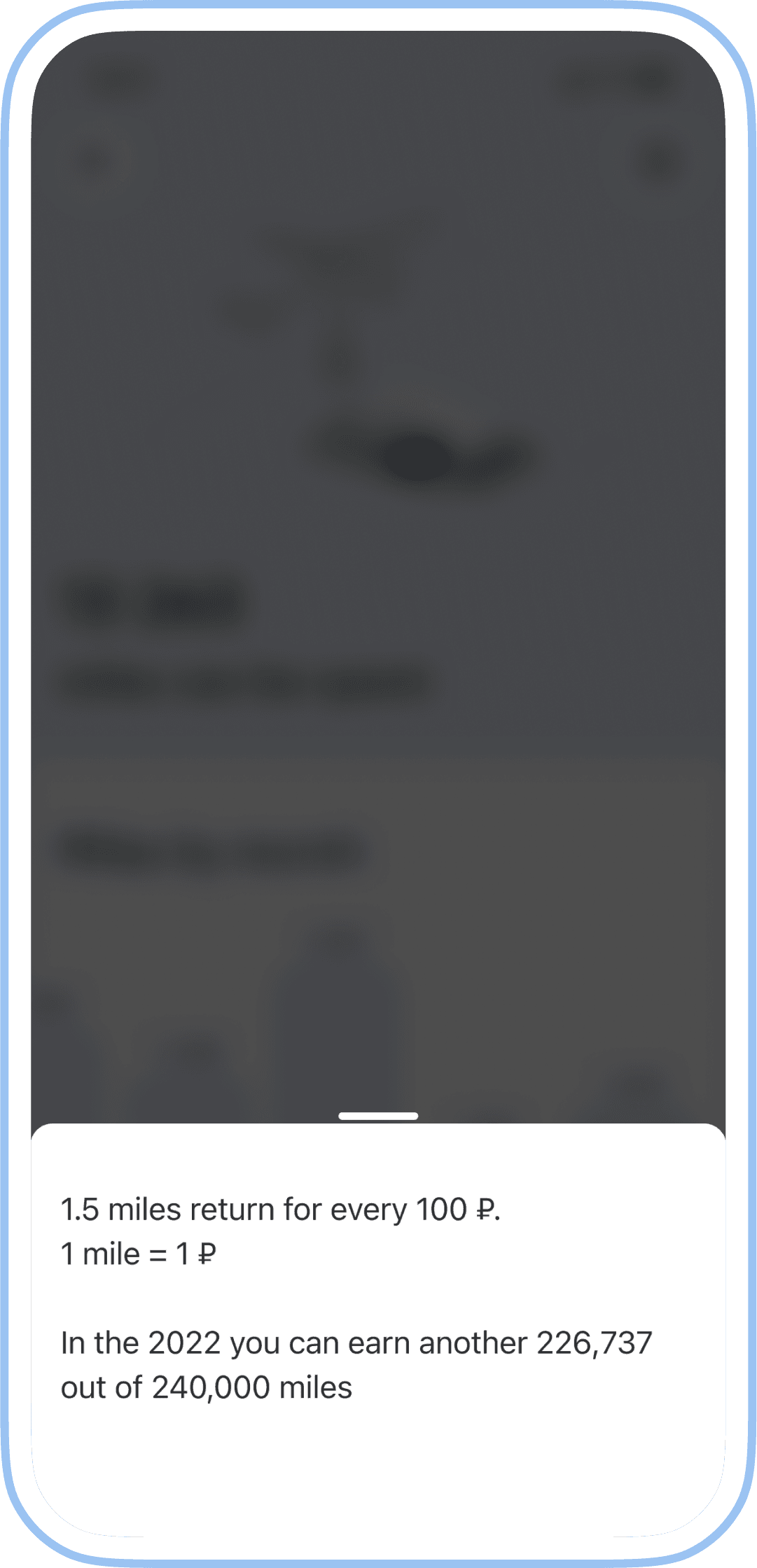
Show the rate at which miles are currently calculated and how much more you can accumulate this year.
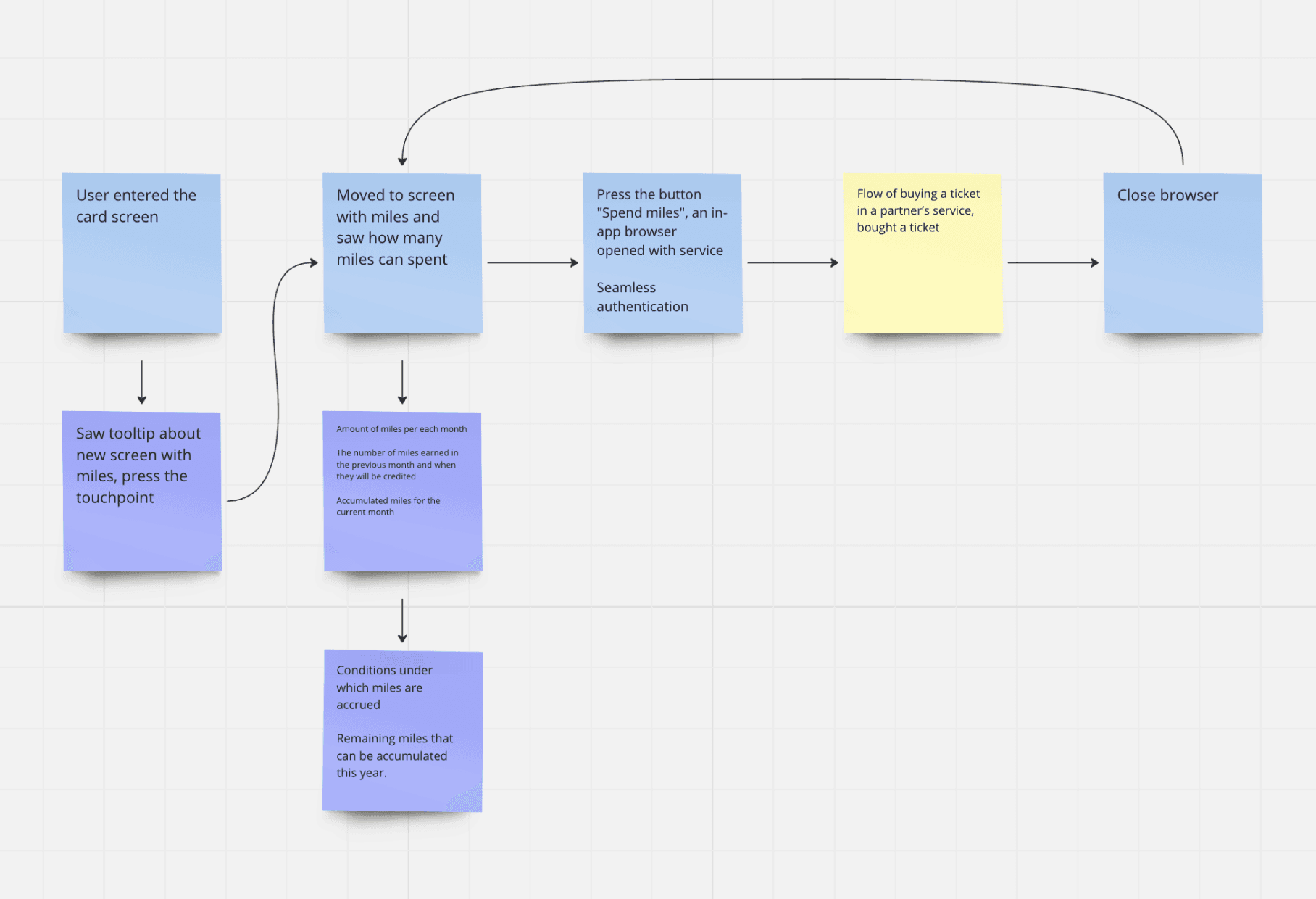
Make a seamless transition from the application to the partner’s service to provide a convenient flow till making a purchase.
Design, UX tests
I designed the user flow and reviewed it together with the business and developers, discussed the logic, and the components from an implementation perspective.
Together with the researcher, we formulated questions about what we wanted to test in our flow. I created prototype for these cases, and we conducted tests with a sample of current and potential cardholders.
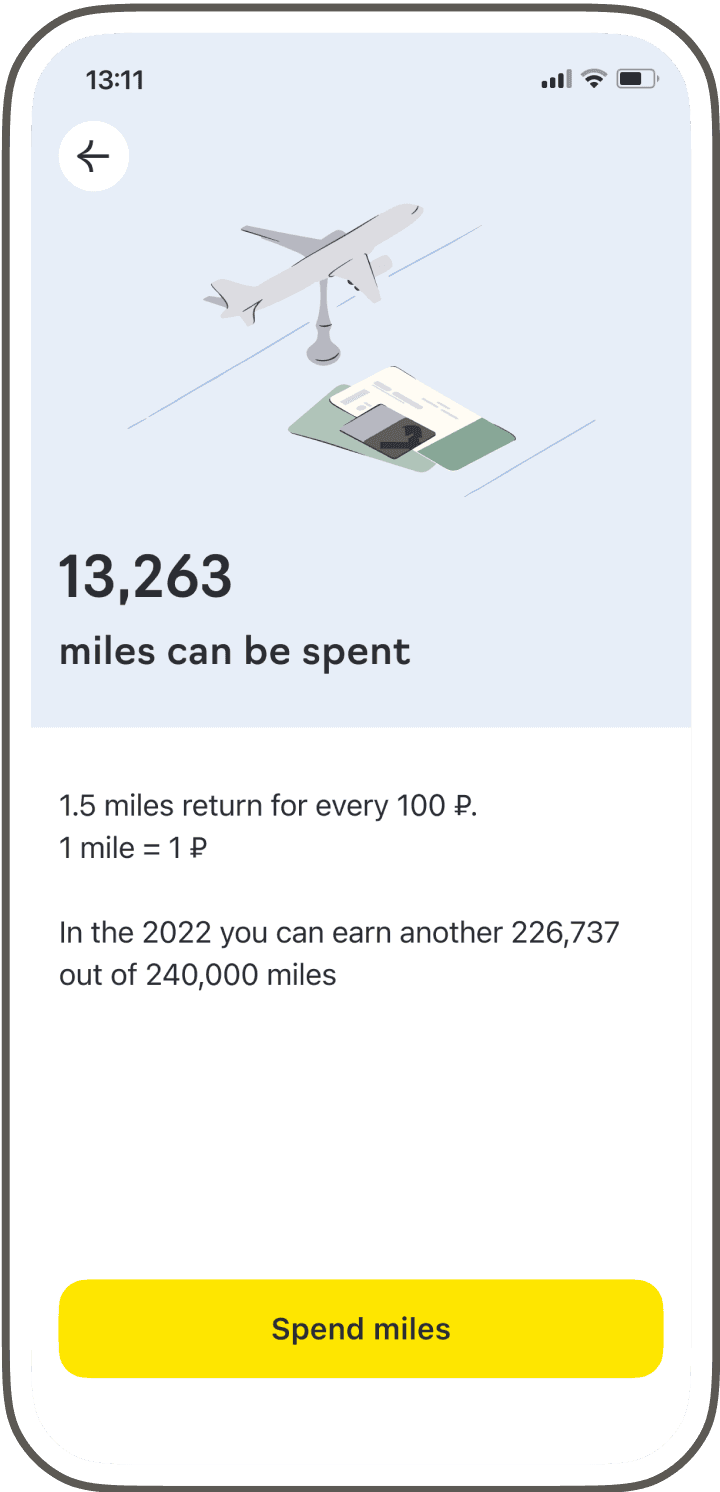
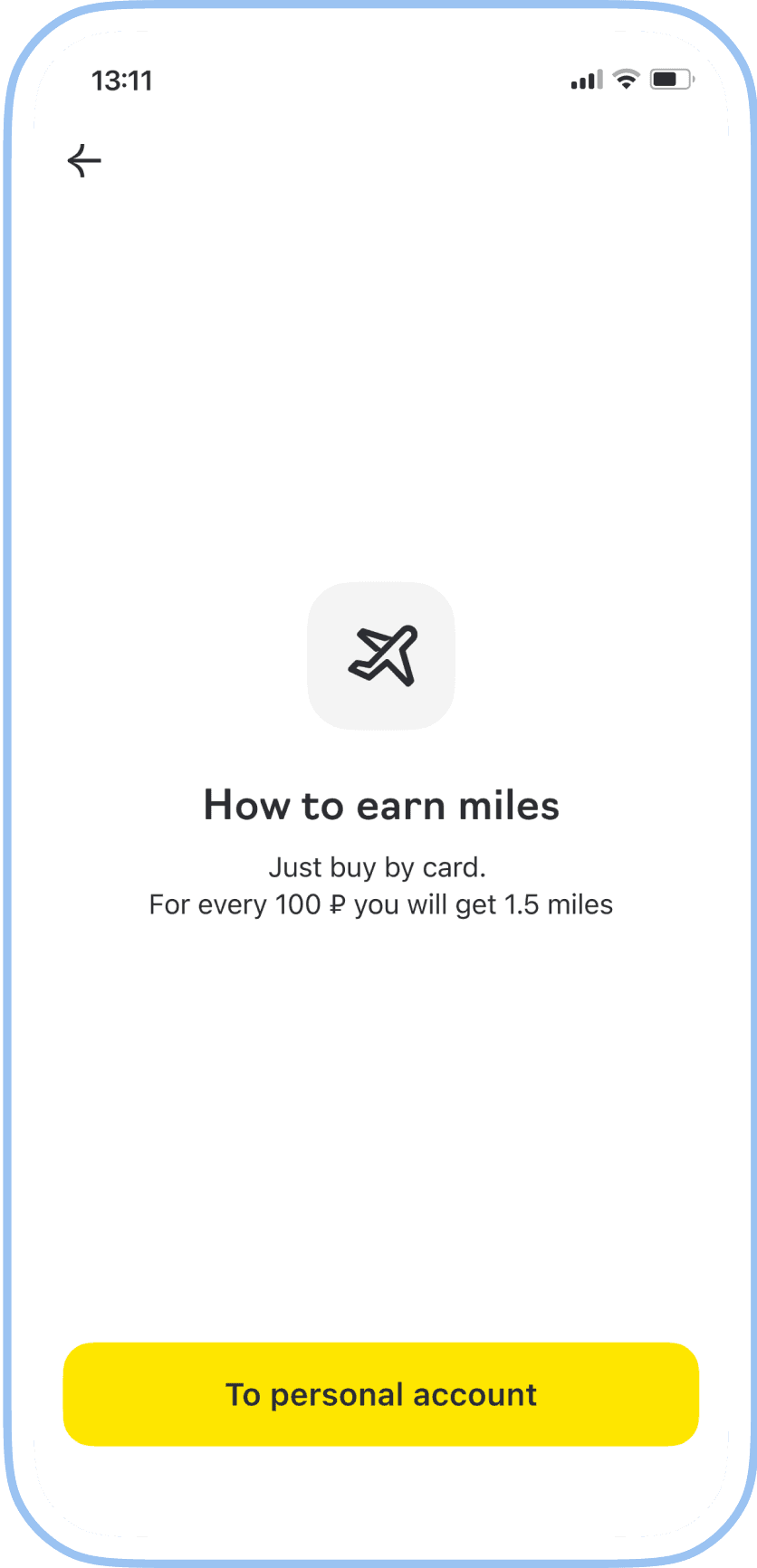
Based on the test results, it became clear that the rates system is complicated for users. After recalculating the economics, the business proposed an alternative option. So we replaced the dynamic rates for all with static for the mass (1.5 miles for every 100 ₽) and premium (2 miles for every 100 ₽) segments.
We conducted retesting and added validated new changes into the final solutions.
Launch
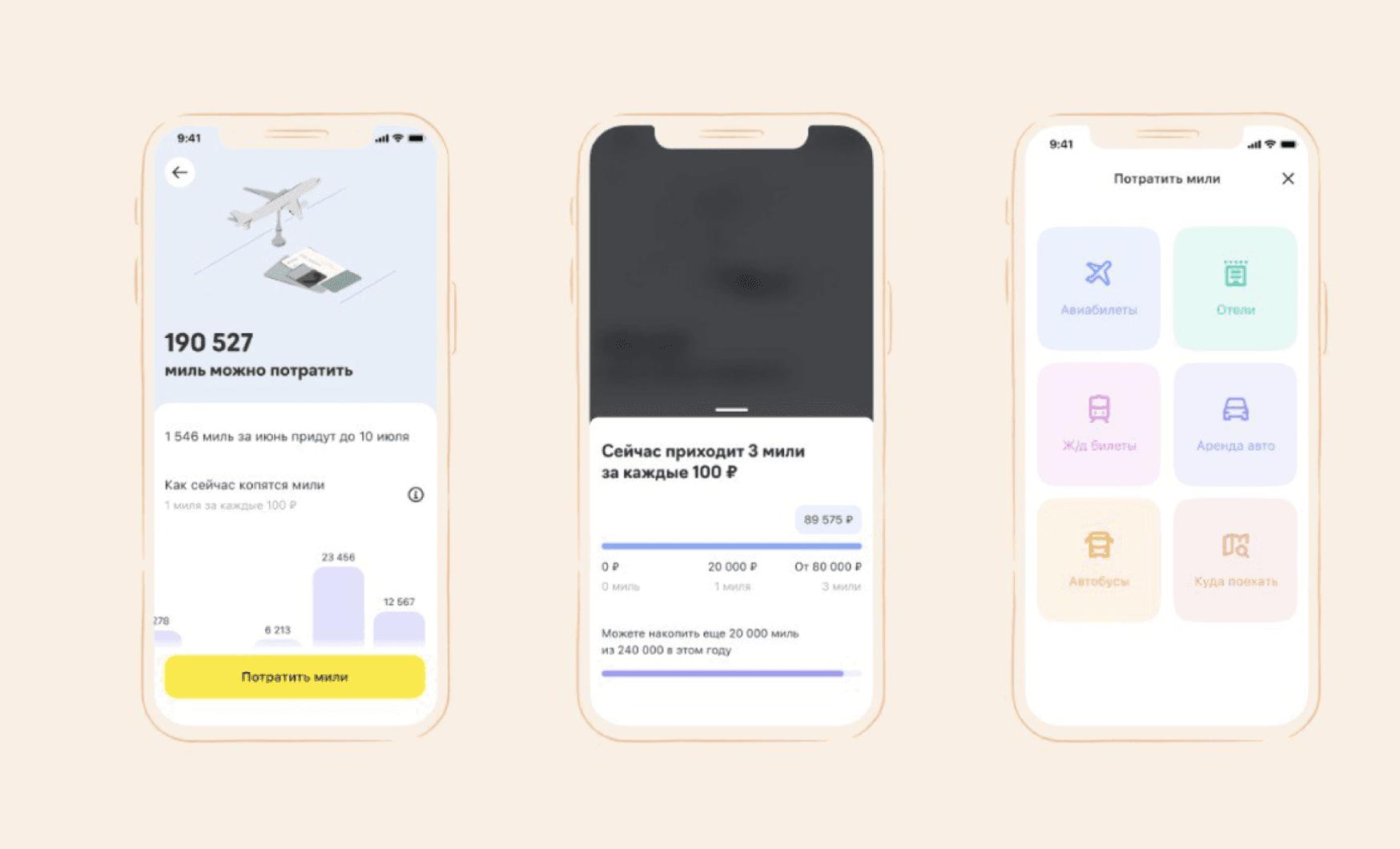
To deliver value to users more quickly, we adopted an iterative approach. In the first release, we designed the interface without including the accumulation history section. Customers could already see in the app how many miles they can spent and used the new partner's service.
What we've done
What problems we were solving and why
The team's focus was to increase user engagement, so we took on improving one of the loyalty programs.
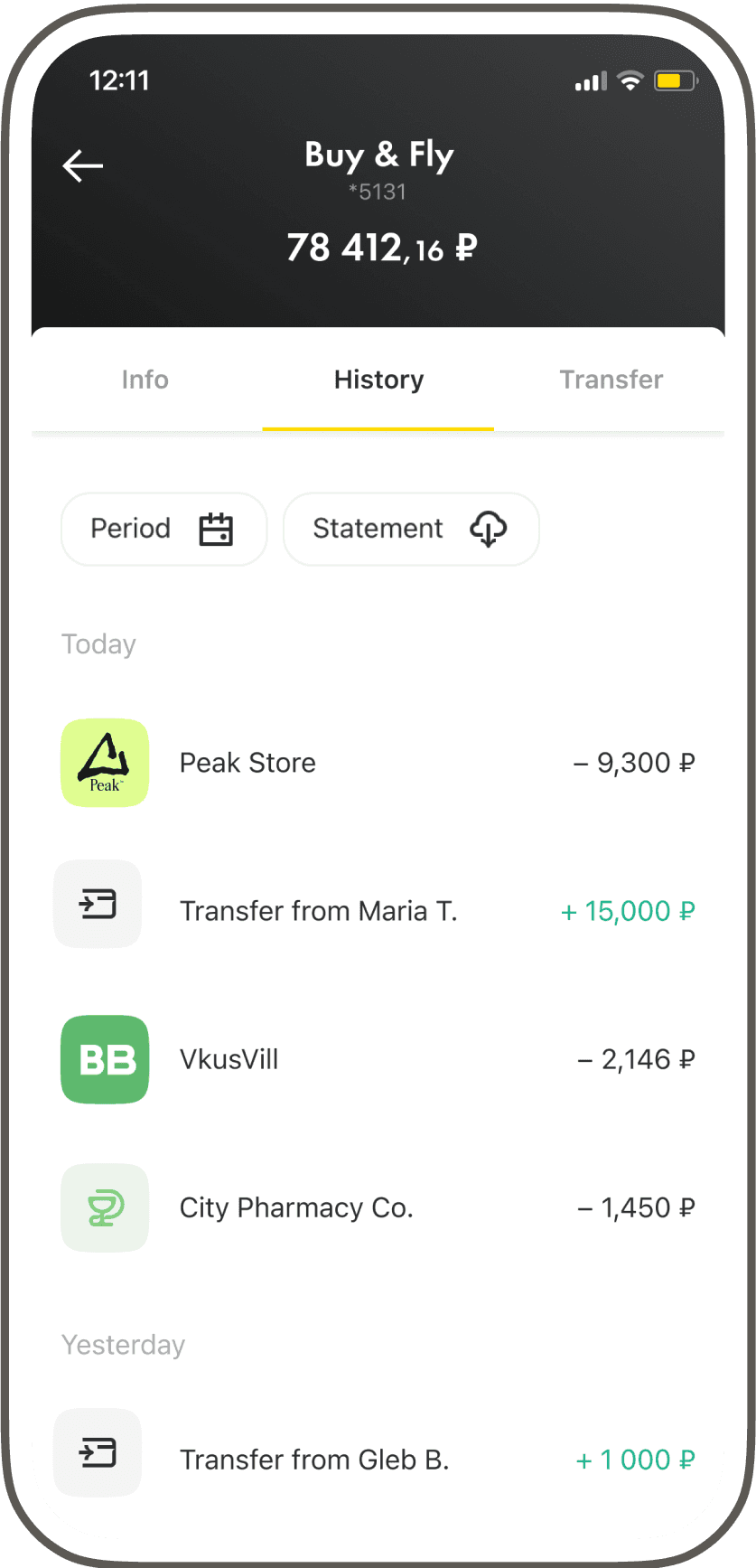
The main issue was that the current technical partner discontinued cooperation. Through their service, our customers could buy a plane ticket or something else for travel using points (miles) they earned from purchases with the travel card «Buy & Fly». For some time, users couldn’t spend miles and a new product with similar mechanics was needed, as negative feedback could potentially decrease the NPS metric.
Additionally, there was no information in the application about miles and where they could be used. As a result, users wrote inquiries to customer support.
Contribution
I collaborated with tech partners, marketing and brand team to reach a holistic experience for users. I participated in the formation of hypotheses and preparation for the tests, created the prototype, UX/UI, contributed to the design system and controlled the quality of implementation into production.
Main
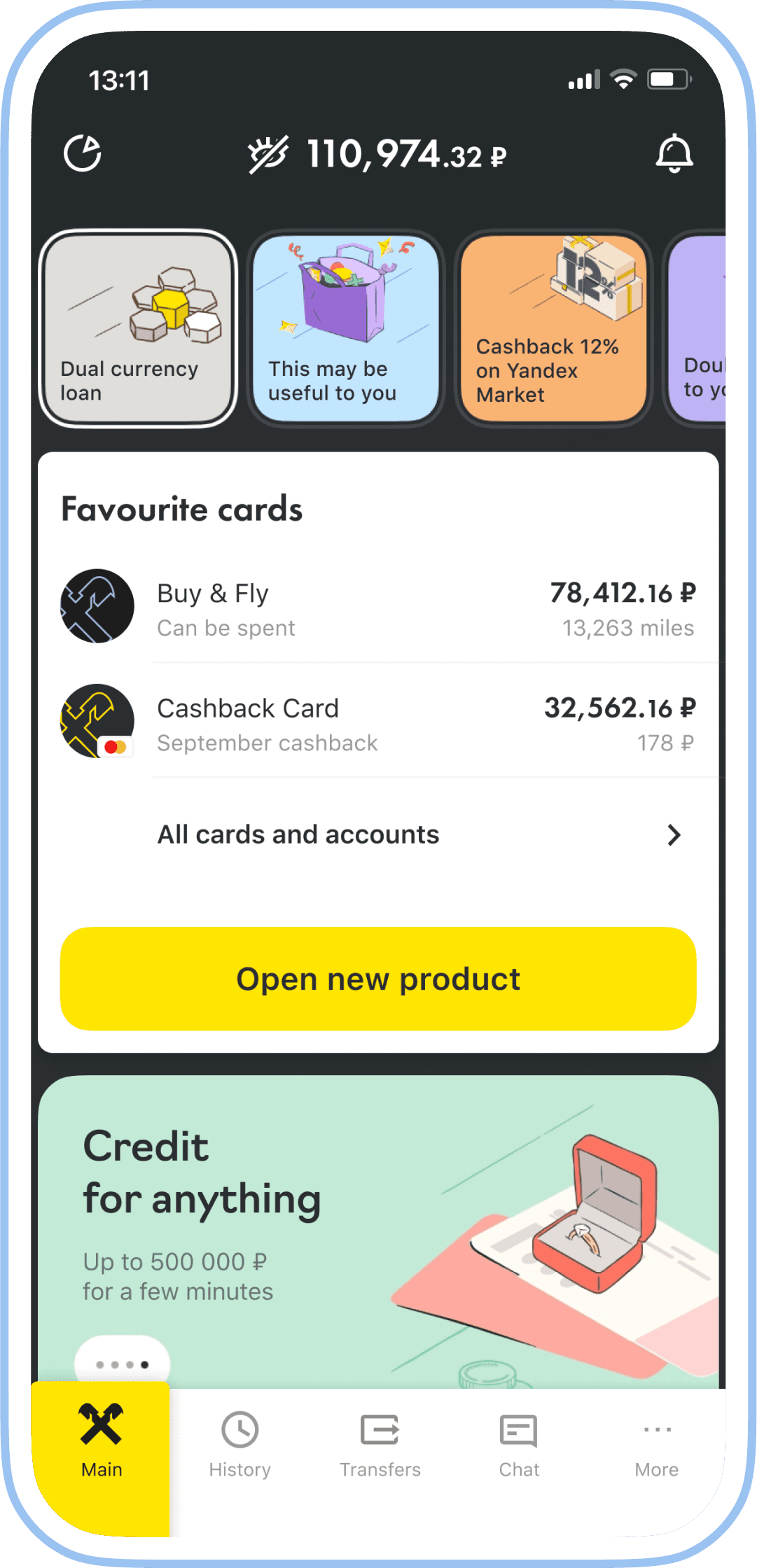
We added information on the main screen about how many miles can be spent immediately.
The debit card images looked identical in the general list on the main screen. I proposed making changes to the identification of these cards in accordance with brand and marketing guidelines, and I defended this decision.
Touchpoint and history
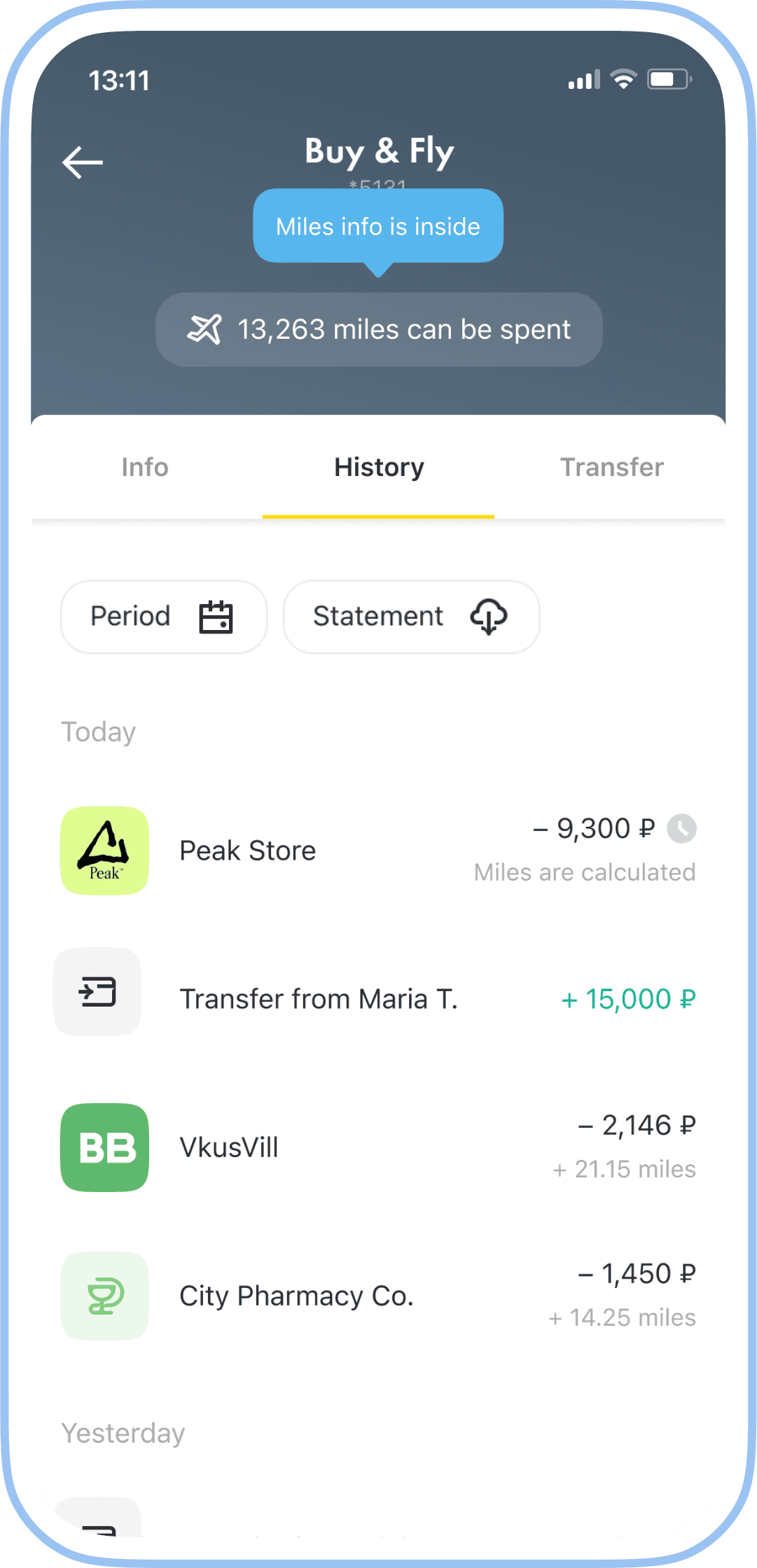
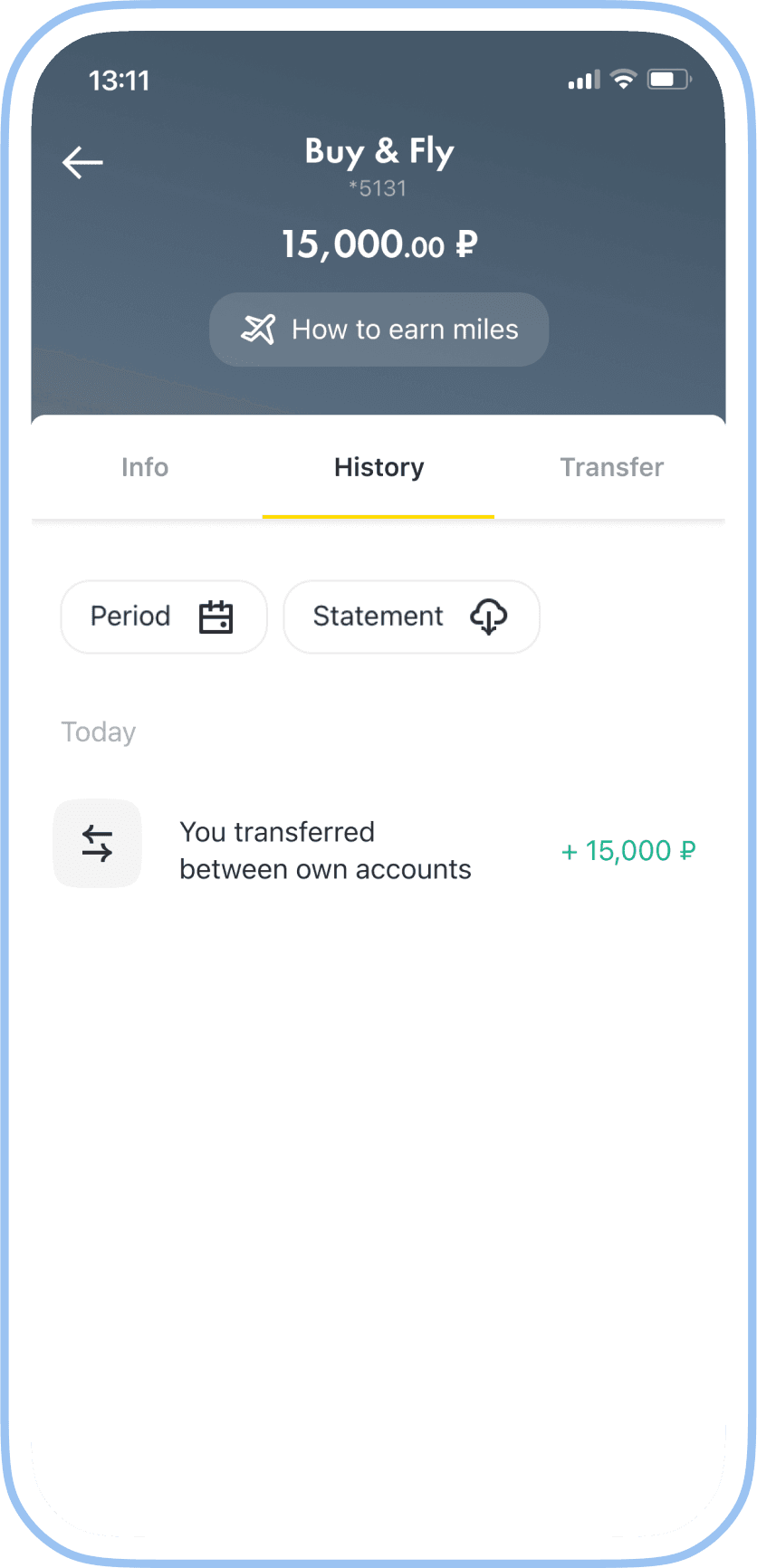
Due to technical legacy, the header of the card screen was the only place where a touchpoint for the section with the miles could be placed to avoid additional taps. After updating the app, users are presented with onboarding to the new screen in their first session.
Now, in the transaction history, users can see how many miles they will receive for each purchase. Because of a specific of the back-end, it takes some time (about a day) to process bonus accrual.
Miles screen
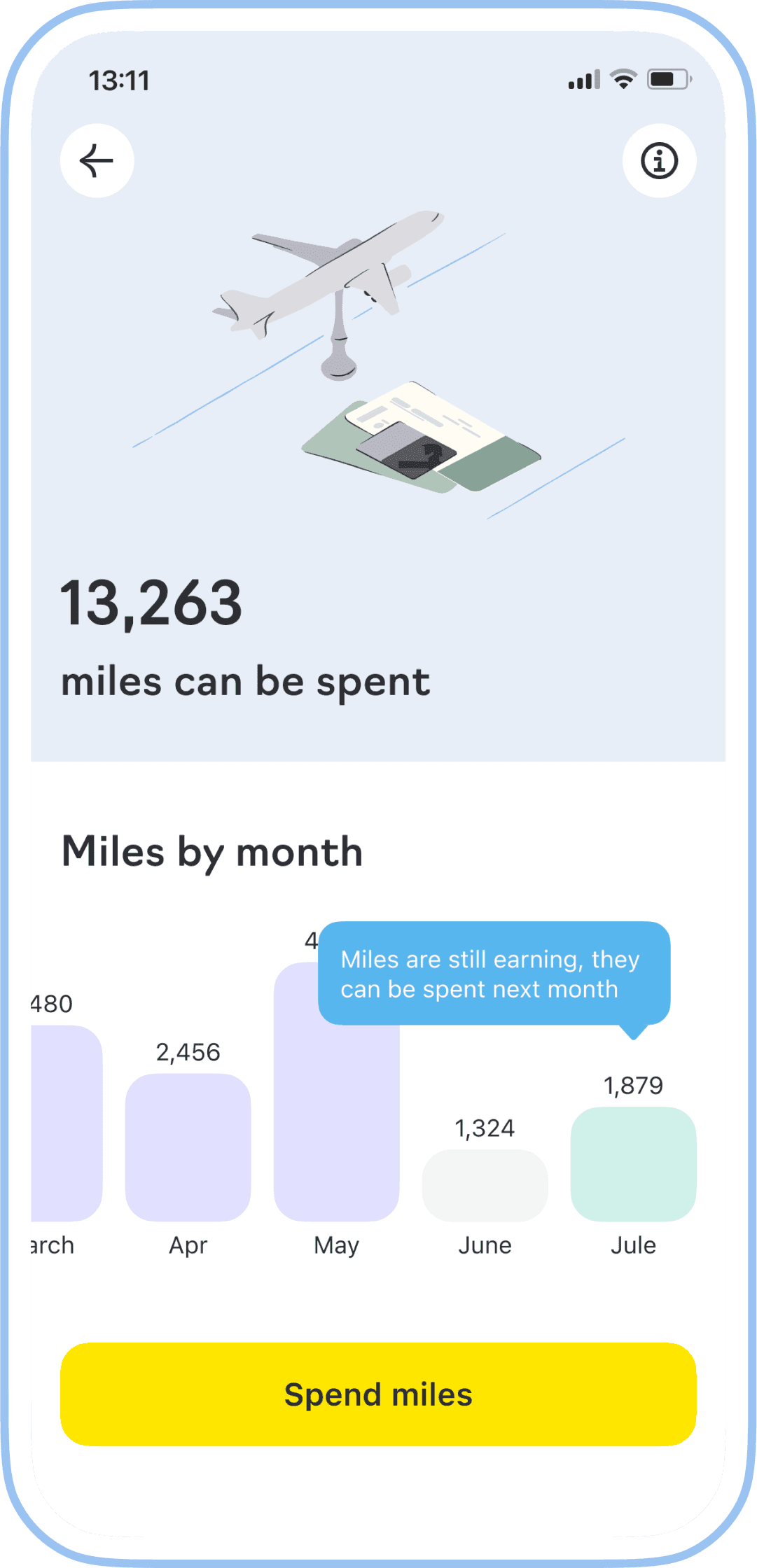
We display the number of miles available for spending, and we mark the touchpoint of the partner service with a fixed CTA button.
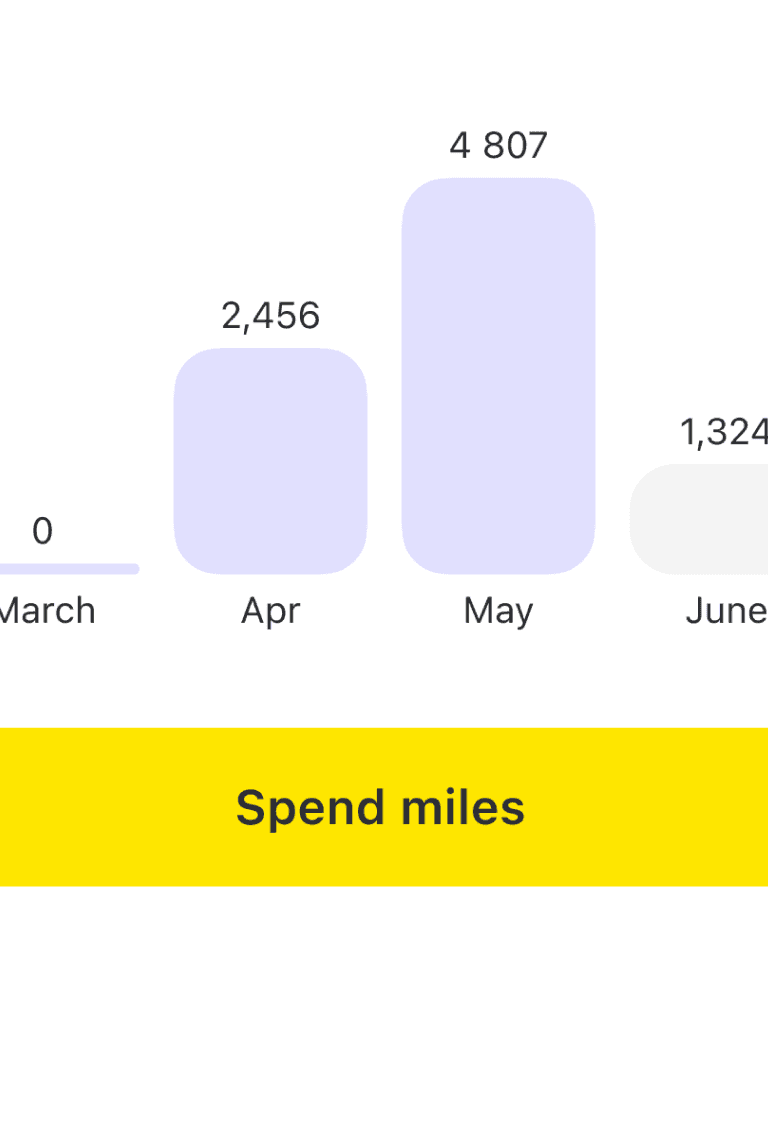
Provide monthly analytics with status information. During the first session, we offer tips about the function of bars, although without onboarding, users in UX tests themselves figured out that they could click on the bars to access information for the selected month.
When developing new components, the teams should contribute them to the design system. We created a new component, ChartBar (used for displaying analytics), with flexibility for reuse in other cases and the ability for another team to further develop it.
Illustration in corporate style with a feature metaphor to convey the brand’s character and add the priming effect.
Spend miles
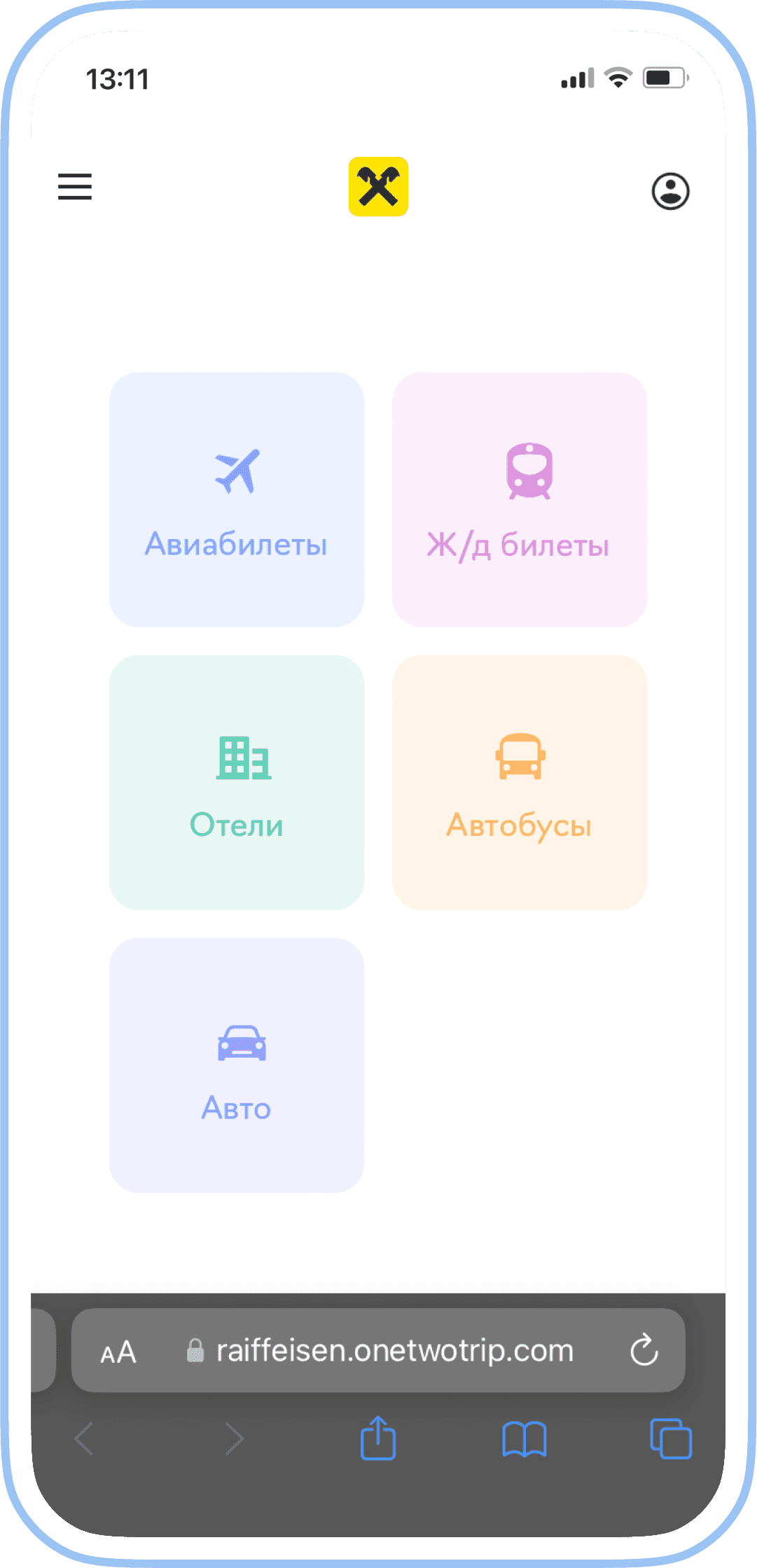
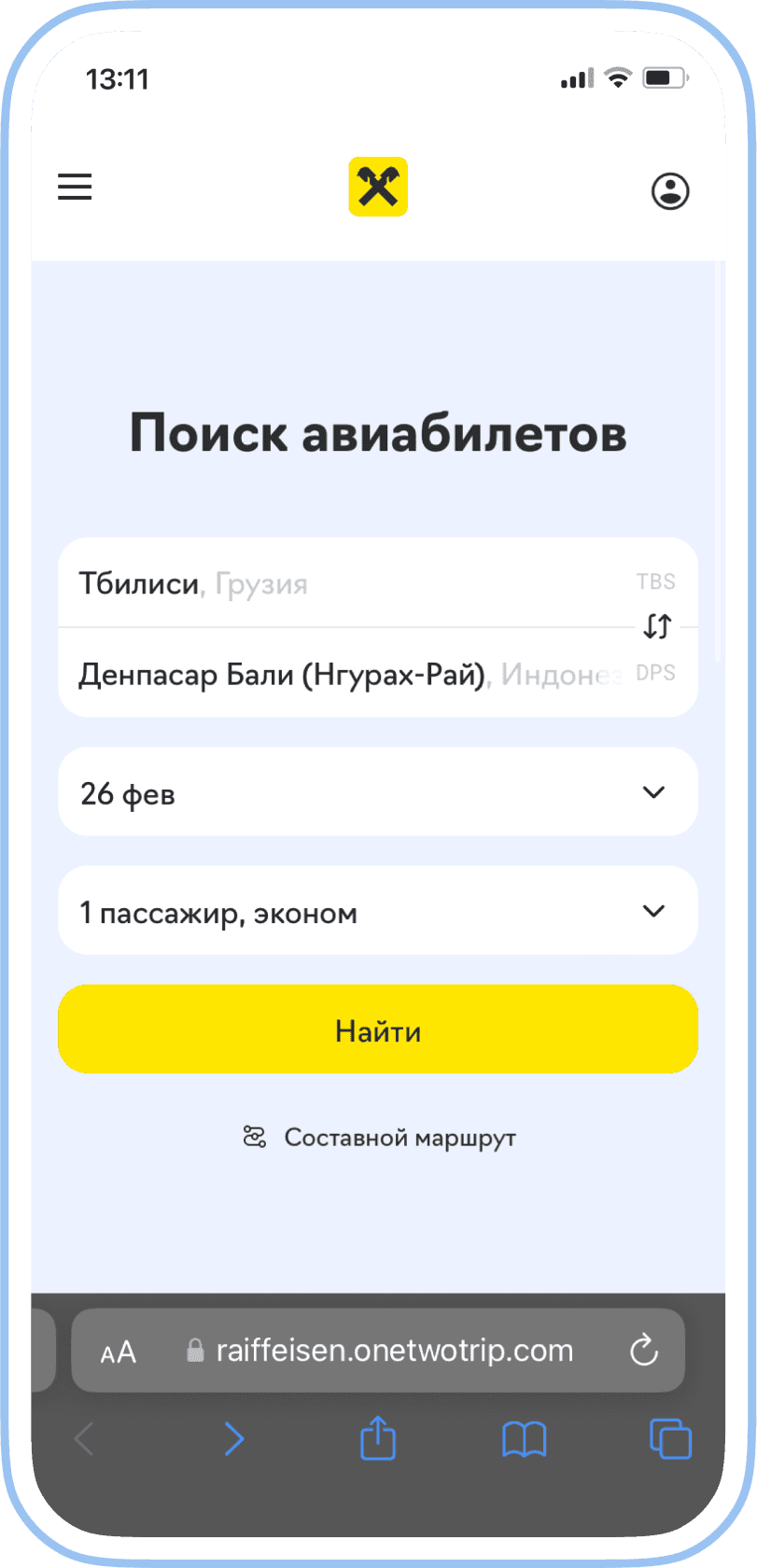
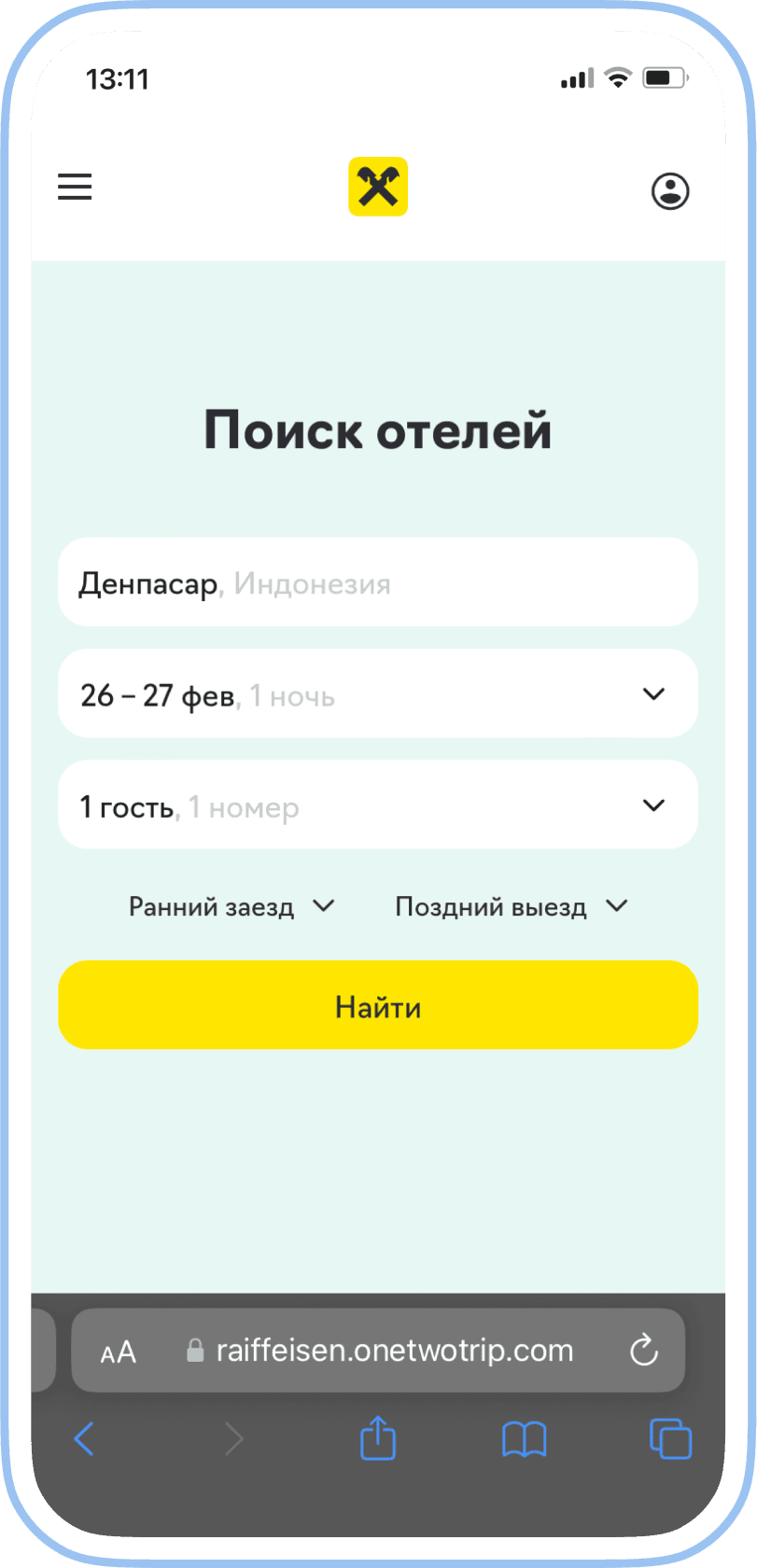
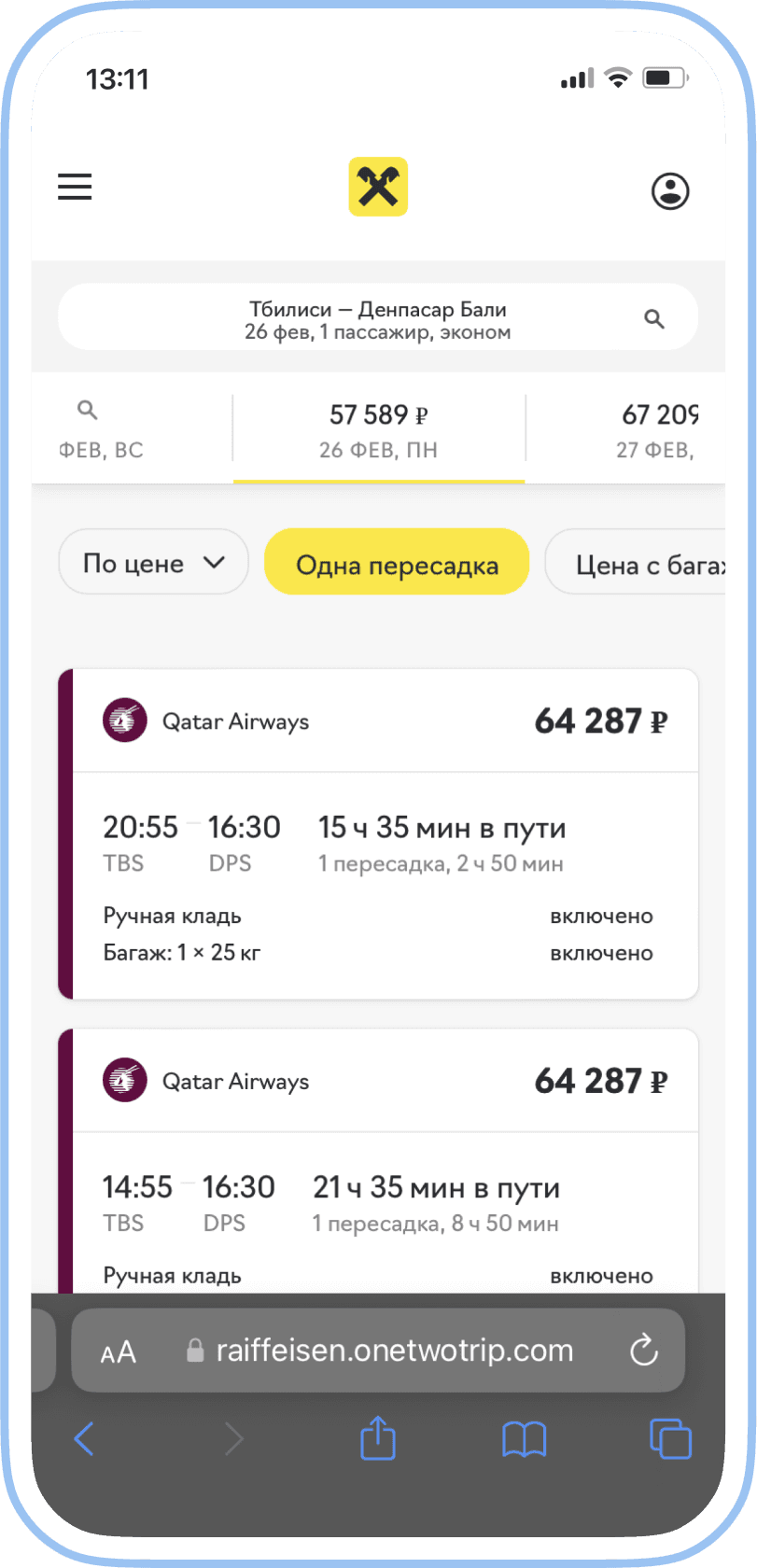
After pressing the button, the system browser opens, and the user finds themselves in their personal account. Thanks to seamless authorization, they don't need to remember and enter login and password. The decision to open the native browser was based on the fact that the current in-app browser module lacked all the necessary functionality for a convenient user experience, and there were no resources available for its improvement. This is a large piece of functionality in the area of responsibility of another team.
For a smoother transition to another service, we branded the service with the Raiffeisen Bank identity. We used the brand's fonts, colors, and principles for displaying UI elements in ours products.
The partner implemented improvements based on our suggestions. Now, information about points is clear, their usage is straightforward and all texts are consistent.

Conditions
We explain the conditions of how miles are accumulated and how many can still be earned in the current year.

States of bars
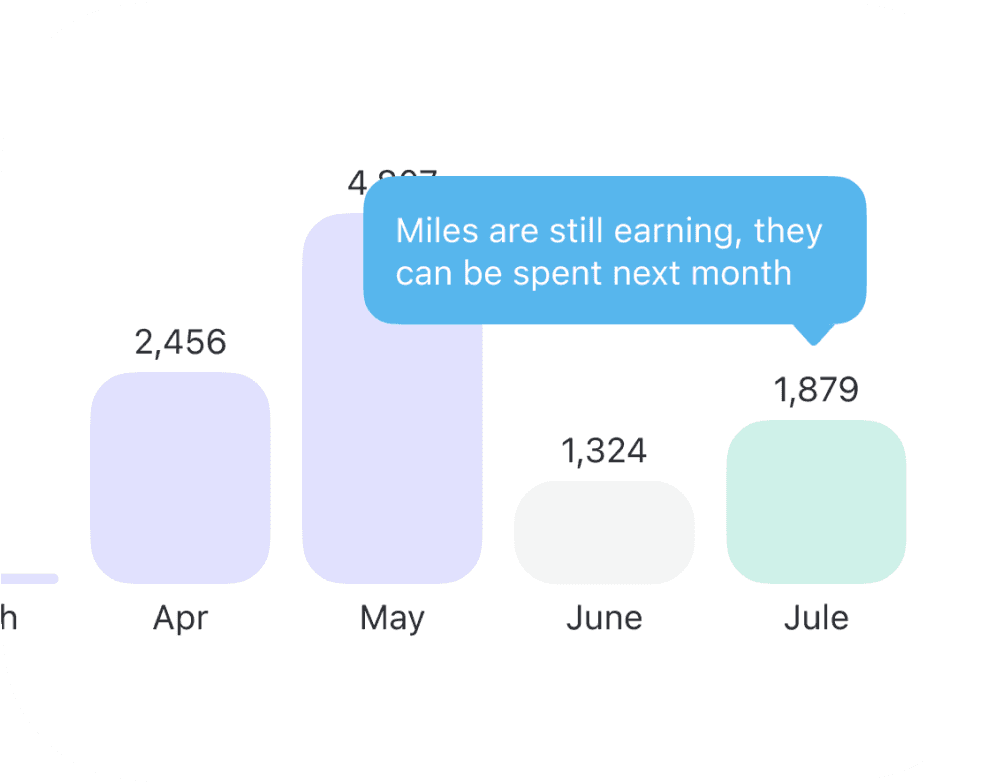
The current month when miles are accumulating
and cannot be spent
yet
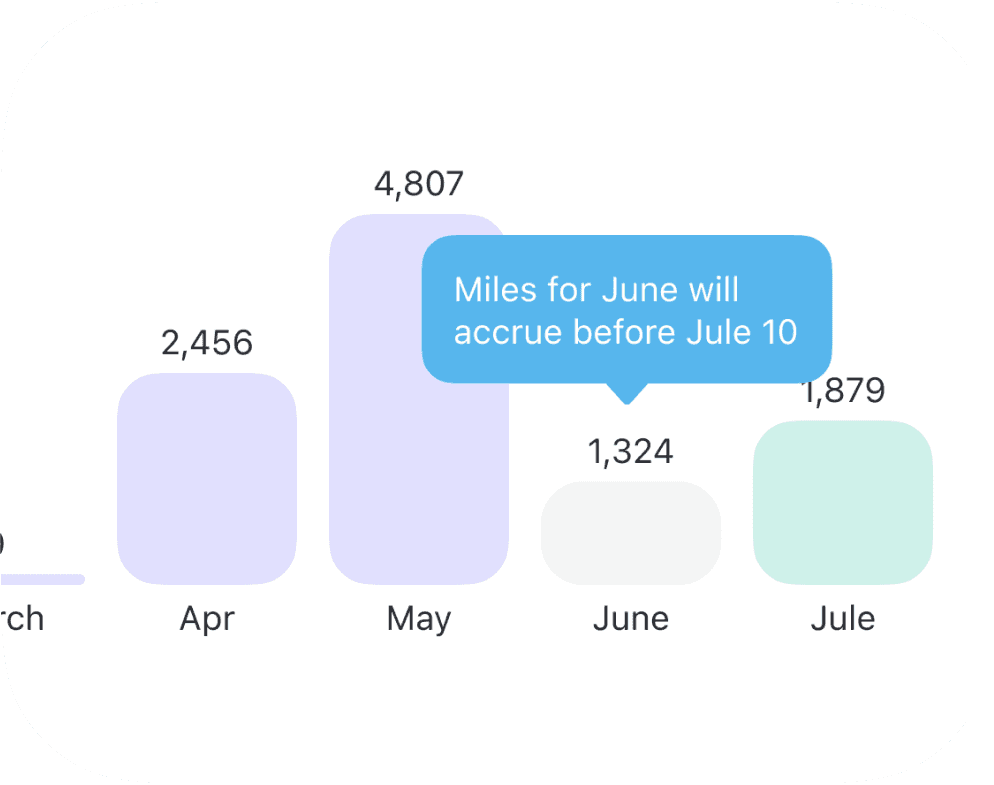
The previous month when miles arrive by the 10th of the current month
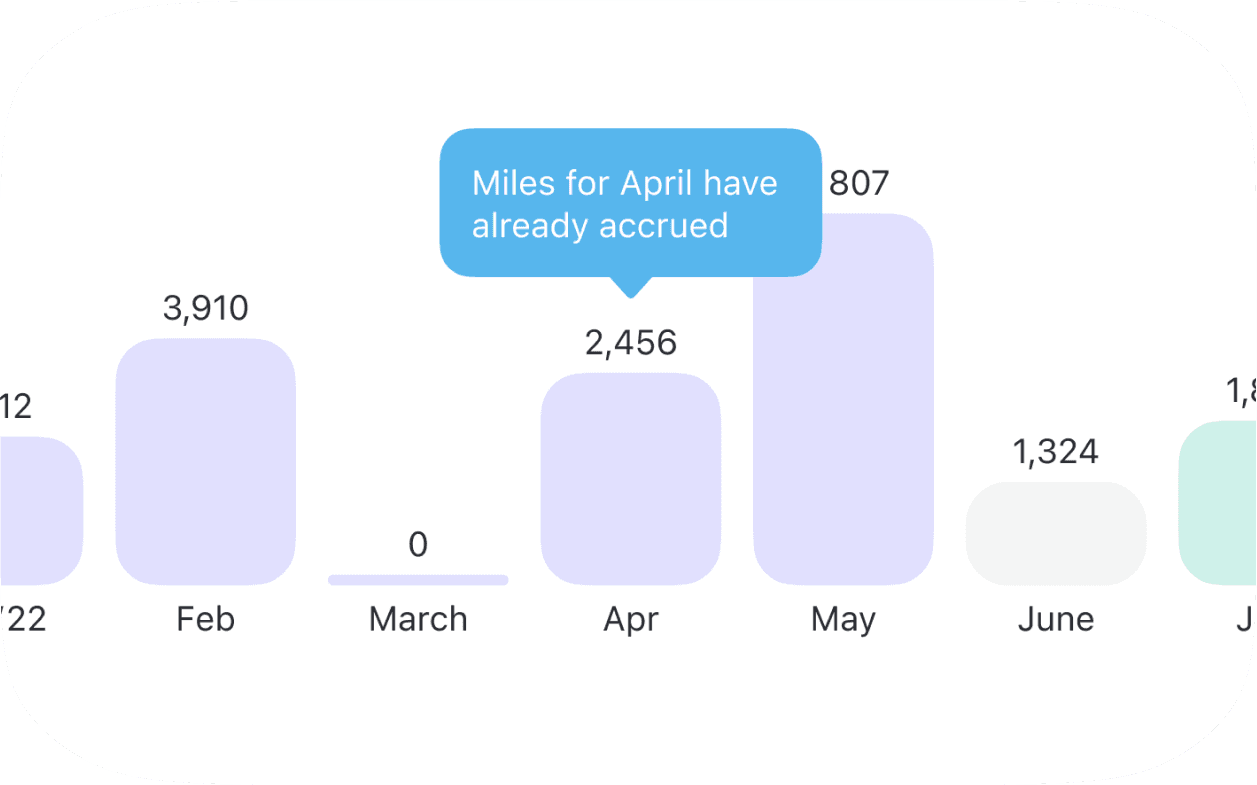
The month where miles have already arrived
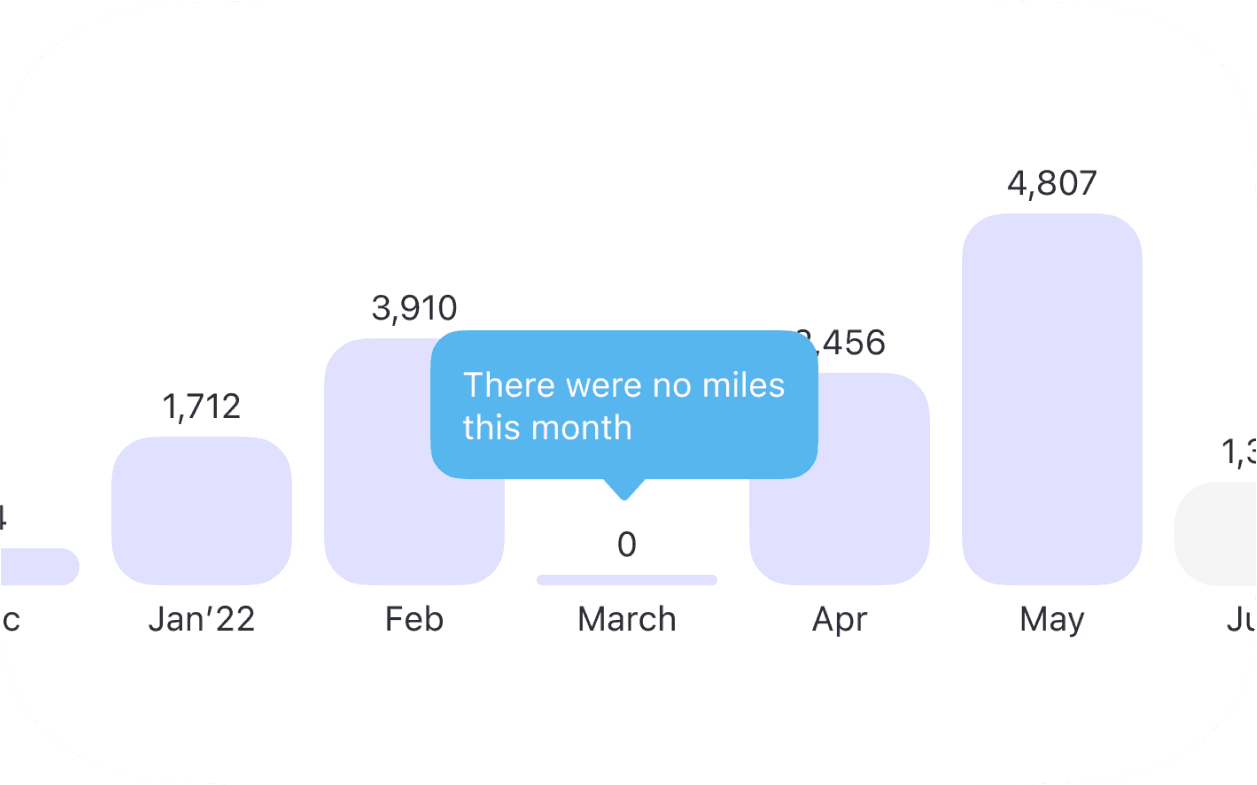
And a month where no miles were earned
Some corner cases
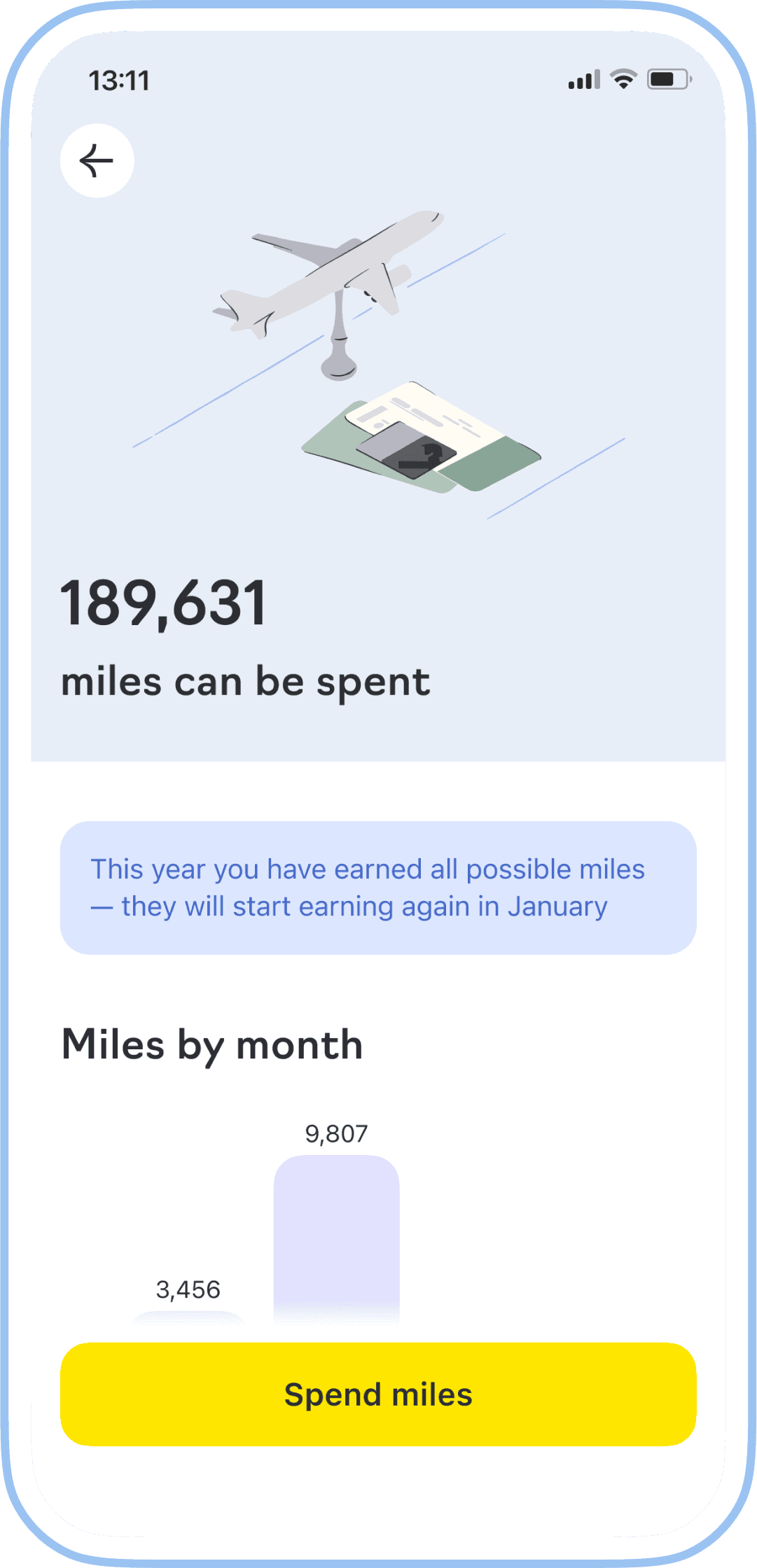
When the miles limit is reached
When a customer reaches their limit, we show them up-to-date information about their status, indicating that all miles that can be earned within the loyalty program have been accumulated and when they can earn them again.
No miles yet
If a user hasn't started spending with the card yet, we change the wording on the touchpoint and provide guidance in the empty state of the future miles screen on how to start earning them.
When a customer acquires a card, they automatically gain access to their personal account in the partner service, where they can exchange miles for tickets in the future. We place a touchpoint at the bottom of the screen so they can see what's available and familiarize themselves with the service.
Value for users and business
We reduced support requests by 43% by giving users the necessary information for all cases.
Simplified the rate and introduced a new service with a user-friendly flow.
Thanks to the new user flow, customers started to spend points more often, which increased conversion by 19%
Overview
Raiffeisen Online is a mobile application for individuals of one of the systemically important banks in Russia.
Raiffeisen Online
Travel card
The new simple way for users to save money on travel, by making purchases with the card.
Contribution
I collaborated with tech partners, marketing and brand team to reach a holistic experience for users. I participated in the formation of hypotheses and preparation for the tests, created the prototype, UX/UI, contributed to the design system and controlled the quality of implementation into production.
Discovery
We studied the feedback from users and analyzed the specifics of the loyalty program in order to understand what information might be important to people:
Users couldn't see how many miles they had
Didn’t understand the reward system. Miles are credited from the 1st to the 10th of the next month, and their amount depends on the score.
They didn't have a touchpoint into the service where they could spend miles
We conducted benchmarking to understand the existing patterns in similar services.
We found a partner with a suitable white-label solution, went through the user journey in it, and provided feedback for improvement to ensure a pleasant experience for customers from reading information about miles in our application to purchasing tickets or booking hotels on the partner's side.
Design, UX tests
I designed the user flow and reviewed it together with the business and developers, discussed the logic, and the components from an implementation perspective.
Together with the researcher, we formulated questions about what we wanted to test in our flow. I created prototype for these cases, and we conducted tests with a sample of current and potential cardholders.
Based on the test results, it became clear that the rates system is complicated for users. After recalculating the economics, the business proposed an alternative option. So we replaced the dynamic rates for all with static for the mass (1.5 miles for every 100 ₽) and premium (2 miles for every 100 ₽) segments.
We conducted retesting and added validated new changes into the final solutions.
What problems we were solving and why
The team's focus was to increase user engagement, so we took on improving one of the loyalty programs.
The main issue was that the current technical partner discontinued cooperation. Through their service, our customers could buy a plane ticket or something else for travel using points (miles) they earned from purchases with the travel card «Buy & Fly». For some time, users couldn’t spend miles and a new product with similar mechanics was needed, as negative feedback could potentially decrease the NPS metric.
Additionally, there was no information in the application about miles and where they could be used. As a result, users were writing inquiries to customer support.
Ideas
How can we solve the problems and improve the experience:
Show the information about the available miles and provide the link where they can be spent to highlight the most crucial aspect and increase conversion on purchases using the miles.
Visualize simple and understandable analytics, taking into account the specific point reward system, so that the accumulation history will transparent for people.
Show the rate at which miles are currently calculated and how much more you can accumulate this year.
Make a seamless transition from the application to the partner’s service to provide a convenient flow till making a purchase.
Launch
To deliver value to users more quickly, we adopted an iterative approach. In the first release, we designed the interface without including the accumulation history section. Customers could already see in the app how many miles they can spent and used the new partner's service.
Main
We added information on the main screen about how many miles can be spent immediately.
The debit card images looked identical in the general list on the main screen. I proposed making changes to the identification of these cards in accordance with brand and marketing guidelines, and I defended this decision.
What we've done
Miles screen
We display the number of miles available for spending, and we mark the touchpoint of the partner service with a fixed CTA button.
Provide monthly analytics with status information. During the first session, we offer tips about the function of bars, although without onboarding, users in UX tests themselves figured out that they could click on the bars to access information for the selected month.
When developing new components, the teams should contribute them to the design system. We created a new component, ChartBar (used for displaying analytics), with flexibility for reuse in other cases and the ability for another team to further develop it.
Illustration in corporate style with a feature metaphor to convey the brand’s character and add the priming effect.
States of bars
Conditions
We explain the conditions of how miles are accumulated and how many can still be earned in the current year.
When the miles limit is reached
We show them up-to-date information about their status, indicating that all miles that can be earned within the loyalty program have been accumulated and when they can earn them again.
No miles yet
If a user hasn't started spending with the card yet, we change the wording on the touchpoint and provide guidance in the empty state of the future miles screen on how to start earning them.
When a customer acquires a card, they automatically gain access to their personal account in the partner service, where they can exchange miles for tickets in the future. We place a touchpoint at the bottom of the screen so they can see what's available and familiarize themselves with the service.
Spend miles
After pressing the button, the system browser opens, and the user finds themselves in their personal account. Thanks to seamless authorization, they don't need to remember and enter login and password. The decision to open the native browser was based on the fact that the current in-app browser module lacked all the necessary functionality for a convenient user experience, and there were no resources available for its improvement. This is a large piece of functionality in the area of responsibility of another team.
For a smoother transition to another service, we branded the service with the Raiffeisen Bank identity. We used the brand's fonts, colors, and principles for displaying UI elements in ours products.
The partner implemented improvements based on our suggestions. Now, information about points is clear, their usage is straightforward and all texts are consistent.
Touchpoint and history
Due to technical legacy, the header of the card screen was the only place where a touchpoint for the section with the miles could be placed to avoid additional taps. After updating the app, users are presented with onboarding to the new screen in their first session.
Now, in the transaction history, users can see how many miles they will receive for each purchase. Because of a specific of the back-end, it takes some time (about a day) to process bonus accrual.
We reduced support requests by 43% by giving users the necessary information for all cases.
Simplified the rate and introduced a new service with a user-friendly flow.
Thanks to the new user flow, customers started to spend points more often, which increased conversion by 19%
The current month when miles are accumulating
and cannot be spent
yet
The previous month when miles arrive by the 10th of the current month
The month where miles have already arrived
And a month where no miles were earned

Some corner cases
Value for
users and business
Overview
Raiffeisen Online is a mobile application for individuals of one of the systemically important banks in Russia.
2023
2024